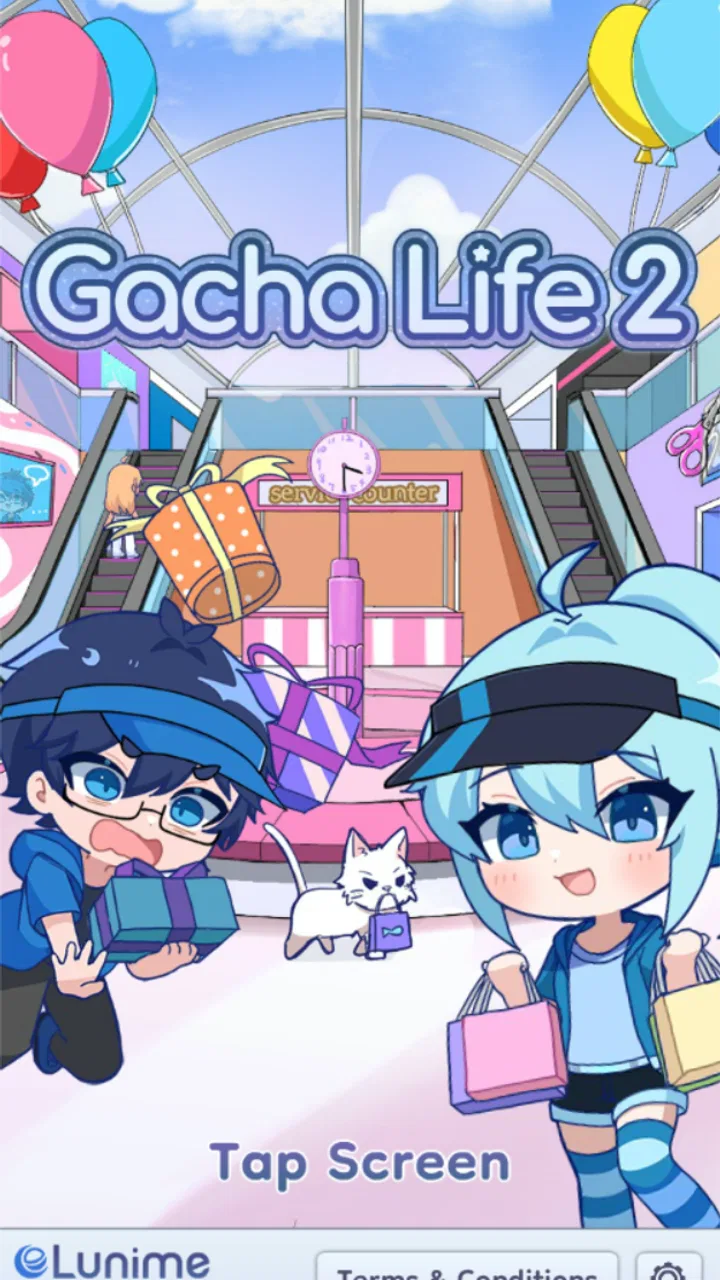
Gacha Life 2
- 4.1
- Rating
- 10.00M
- Installs
- Free
- Price

 Analysis by App-foxy
I approached Gacha Life 2 as a casual character-creation game rather than something to rush through. Its appeal is immediate: you can build anime-style characters, change their appearance, and spend time putting together outfits that feel personal. The experience is closer to a digital dressing room and character workshop than to a traditional action game, which makes it easy to pick up for a few minutes or return to when you want to create a new idea.
That relaxed format is also why the game can be surprisingly absorbing. A small change to hair, clothing, colors, or facial details can alter the entire mood of a character. I found myself switching between “I will make one character quickly” and “I should adjust this one detail before I finish.” Developed by Lunime, the game is free, rated for Everyone, and belongs firmly in the casual category. It runs on Android devices using version 5.0 or later, while the current version is 0.96.
Getting past the first points of friction
The first thing to understand is that this is not a game that rewards speed. If you expect a conventional level-based experience with constant objectives, the opening may feel less focused than expected. The main attraction is the freedom to experiment with characters and fashion, so the useful question is not “How quickly can I complete this?” but “What am I trying to create?” Having that goal in mind makes the interface easier to approach.
You May Also Like

 Blood Strike: 2.5 Anniversary
Blood Strike’s Loadouts Turn Every Drop Into a Tactical Gamble
A close look at Blood Strike’s custom loadouts: how fast access to signature weapons reshapes its battle royale rhythm, rewards preparation, and narrows the gap between fights.

 Pandora - Music & Podcasts
Pandora’s Music Is Easy to Start, but Harder to Recover
Pandora’s strength is its low-effort path from a seed to a station. Its weak spot is how much confidence it asks you to place in connection, setup, and quiet recovery.

 8 Ball Pool
 Is Built on Rivalries, Rematches, and Routine
A close look at the rivalries, rematches, shared routines, and unanswered safety questions that turn a quick pool match into a persistent mobile community.

 Samsung Music
’s Quiet Strength Is Playing What You Already Own
Its reach comes less from spectacle than from dependable access to a personal library. That simplicity is both the app’s strongest retention engine and its ceiling.

 AccuWeather: Weather Radar
AccuWeather Review: A Quick, Clear Forecast for Everyday Decisions
For everyday plans, the best forecast is the one you can understand quickly. AccuWeather makes rain timing, radar, and local conditions easy to act on, with a few trade-offs.

 Hill Climb Racing
Why Hill Climb Racing Still Turns Crashes Into One More Run
A tiny car, a bumpy hill and one more upgrade: Hill Climb Racing keeps resurfacing because its simple chaos makes every near-miss feel personal.
More From Our News Desk



New users can get stuck simply because there are many visual decisions competing for attention. Instead of changing everything at once, I recommend starting with a silhouette: choose the general hairstyle, outfit shape, and color family first. After that, refine the face and smaller accessories. This order makes it easier to judge whether the character looks balanced, and it prevents a common problem where individual details seem attractive but do not work together.
Another practical issue is losing track of what you have already changed. When experimenting, I found it helpful to treat each character as a draft. Make one broad version, pause to look at it as a whole, and only then begin fine adjustments. If you keep making tiny changes without stepping back, it becomes difficult to tell whether the character is improving or merely becoming more complicated.
The strongest part of the experience is the control over visual identity, not the speed of progression. That distinction matters for families, younger players, and anyone choosing between this and a more conventional casual game. Gacha Life 2 is best when you want to make, revise, and admire characters. It is less suitable if you need short competitive rounds, a clear score chase, or a tightly directed campaign.
What to check before you start creating
Because the game is free, it is easy to install it casually and assume every problem afterward must come from the app. In practice, a little preparation helps. I would first check that the device uses Android 5.0 or newer and that there is enough free space for a comfortable installation and normal device operation. Keeping the operating system reasonably current is also sensible, especially on older phones where newer apps may behave less smoothly.
It is worth closing other demanding apps before a long customization session. Character editors invite experimentation, and a session can become longer than planned. If the phone is already busy, switching between screens may feel less responsive. That does not necessarily mean the game itself is broken; it may simply be competing for memory or processor time with other open tasks.
I also suggest beginning with a short test session rather than immediately planning a large collection of characters. Create one simple character, explore the main editing areas, and see how the device handles the interface. This gives you a useful baseline. If the first session is smooth but a later session becomes uncomfortable, you have a better clue that the issue may involve the phone’s workload, storage, heat, or background activity rather than the basic installation.
The age rating of Everyone makes the game approachable for a broad audience, but younger players may still benefit from an adult helping them understand the menus and decide how they want to spend time in the editor. The creative freedom is friendly, yet it can be overwhelming when every choice appears at once. A simple challenge, such as designing a school outfit or creating two characters with contrasting color palettes, gives the session direction without turning it into homework.
Since the game is free, the main decision is not whether it fits a purchase budget. The more useful question is whether your device and your play habits suit a character-focused experience. On a phone used mainly for quick competitive games, it may feel slow or unusually open-ended. On a device used for drawing ideas, avatar design, or relaxed customization, it makes much more sense.
A workflow that keeps character design manageable
My preferred workflow begins with a purpose for each character. I might decide that one should look cheerful, mysterious, formal, or deliberately mismatched. That single word becomes a filter for every later choice. If an item looks appealing but works against the intended mood, I leave it aside. This is more effective than selecting pieces randomly and hoping the final result comes together.
Next, I choose the dominant color and one supporting color. Limiting the palette early is a useful way to avoid visual noise. Once the main clothing and hair direction are established, I use smaller details to add personality rather than introducing a new color every time. This approach is especially helpful on a small screen, where too many competing accents can make the character harder to read.
Facial details deserve their own pass. I prefer to finish the outfit first, then adjust the expression to match it. A serious outfit with a playful expression can be effective, but it should be an intentional contrast. If the character feels “almost right,” the problem is often not a missing accessory but a mismatch between the face, pose, and clothing mood.
One less obvious advantage of this method is that it makes revisions faster. When you know which part of the design is responsible for the character’s identity, you can change that part without dismantling everything else. For example, changing the color balance may be enough to turn a daytime design into a nighttime one. Rebuilding every element from the beginning is usually unnecessary.
For everyday use, I can see the game fitting naturally into a short break. Someone might create a character while waiting for an appointment, then return later to refine the outfit. A younger player could make a small cast for an original story, while an older player might use the editor to explore costume combinations before drawing them elsewhere. The game does not need to replace a full art program to be useful; its value is in making visual experimentation quick and approachable.
Recovering when a session does not go as planned
When a character session becomes confusing, I would avoid immediately deleting work or repeatedly tapping through menus. First, pause and identify what changed: did the issue appear after switching screens, after adding many details, or after the phone became slow? Reopening the game can help with a temporary interface hiccup, but it is better to do that calmly than to keep interacting with a screen that is not responding properly.
If the game closes unexpectedly, the safest general recovery path is to reopen it and check whether the latest work is still present before making more edits. I would also avoid clearing app data as a first reaction, because that can remove locally stored progress or creations. Basic steps such as closing other apps, restarting the device, and checking available storage are less destructive and often reveal whether the problem is broader than this game.
Updates are another sensible check. The current version is 0.96, so if the device is running an older build, installing the available update may address compatibility or stability improvements. I would use the official app store for that process and avoid unofficial packages, particularly when the game is intended for children or shared family devices.
There is also a creative form of recovery. If a character no longer looks right after several edits, do not assume the entire design is ruined. Remove the newest change mentally and return to the last version that had a clear identity. Then make one adjustment at a time. This “one variable” approach is slower for a minute but much faster than changing five areas and trying to guess which one caused the problem.
For users moving between devices, expectations should remain practical. I would not assume that every creation or setting will automatically appear on another phone unless the app clearly provides that behavior. Before changing devices or resetting anything, preserve important work through whatever in-app option is available and take care with locally stored content. The general lesson is simple: treat valuable creations as something worth safeguarding before troubleshooting.
When the phone, connection, or expectations are the real issue
Not every frustrating moment points to a defect in the game. If the whole phone feels sluggish, other apps also take longer to open, or the device becomes hot during use, the wider device environment deserves attention. Freeing storage, restarting the phone, and closing background apps are reasonable first steps. If only this game behaves poorly while everything else works normally, then reinstalling or checking the app’s current build becomes more relevant.
Connection problems can also be misidentified. A character editor may feel like an offline activity, but installation, updates, and any store-related actions still depend on the device’s network and account environment. If downloading or updating fails, test the connection with another ordinary app before blaming the game. A weak network, restricted connection, or temporary store problem can produce symptoms that look like an app failure.
Device age matters as well. The minimum operating system is Android 5.0, but meeting a minimum requirement does not guarantee the same comfort on every phone. An older device may technically install the game yet struggle more when storage is nearly full or several apps remain open. I would judge the experience by responsiveness during a simple editing session rather than by installation alone.
There is a separate expectation problem for players familiar with larger social or avatar platforms. Those alternatives may offer broader interaction systems, more elaborate worlds, or stronger online features. Gacha Life 2 feels more focused on making anime-style characters and dressing them. That narrower purpose is a strength if you want a calm creative tool, but it is a weakness if you are looking for a busy shared environment or a deep competitive loop.
Likewise, players coming from dress-up games with highly structured challenges may find this experience unusually self-directed. There is less pressure to follow a prescribed fashion goal, which gives freedom but removes some of the guidance. I would choose this game over a challenge-driven alternative when I already have a character concept in mind. I would choose the alternative when I want the game to tell me what to design next.
Who will enjoy it, and who should choose something else
This is a good fit for people who enjoy anime-inspired customization, outfit planning, original characters, and repeated visual tweaking. It also suits players who like turning a vague idea into something visible without learning a complicated art application. Parents looking for an approachable creative game may appreciate the Everyone rating, while still keeping normal supervision around device use and shared content.
I would be more cautious recommending it to someone who loses interest without explicit goals. If you need missions, competition, exploration, or a clear reward structure, the open-ended editor may feel empty. It is also not the choice I would make for realistic fashion simulation, detailed illustration, or a multiplayer-first experience. Its charm comes from stylized character construction, not from reproducing every part of those other genres.
The game has attracted a substantial audience, with an average rating of 4.2 from around 272 thousand ratings and more than 10 million installs. Those figures suggest that the basic idea connects with many players, but they should not replace personal expectations. A popular character creator can still be the wrong choice for someone who wants action or a tightly managed progression system.
For a free casual game, I think the best way to judge it is to give yourself a specific creative task. Make a character for a fictional club, design two rivals using opposite palettes, or create an outfit that tells a story without words. If that process feels enjoyable, the game has probably found its audience in you. If it feels like work because you are waiting for objectives to appear, another casual title may be a better use of your time.
My practical verdict after using the editor
I came away viewing Gacha Life 2 as a flexible anime character studio wrapped in a casual game format. Its free availability lowers the barrier to trying it, and Lunime’s focus on character styling gives it a clear identity. The most rewarding sessions are not the rushed ones. They are the sessions where I begin with an idea, make deliberate choices, and return later with enough patience to refine the result.
The main friction is not a complicated learning curve so much as the lack of a single obvious path. You need to provide your own direction, manage your edits carefully, and recognize when a slowdown may come from the device rather than the app. Starting small, checking the Android requirement, keeping storage comfortable, and avoiding destructive troubleshooting will prevent many unnecessary frustrations.
With 15 thousand reviews contributing to its store presence and a price of free, it is easy to try without committing money. I would recommend it to a friend who likes designing characters, planning outfits, or creating visual prompts for stories. I would skip it for a friend asking for fast rounds, competitive play, or a guided adventure. If you enjoy making characters more than chasing scores, this is a worthwhile casual download; if you need the game to supply the excitement, look elsewhere.
FAQs for Gacha Life 2
01What is Gacha Life 2, and how does it differ from its predecessor?
Gacha Life 2 is an enhanced version of the popular character-creation and storytelling app, Gacha Life. It offers improved graphics, new customization options, and additional mini-games. While the core concept remains similar, Gacha Life 2 expands on the creativity and social interaction features, providing users with more tools to express themselves and connect with others.
02Can you customize characters in Gacha Life 2?
Yes, Gacha Life 2 offers extensive customization options. Players can design their characters with a wide array of outfits, hairstyles, accessories, and colors. The app provides more detailed customization than its predecessor, allowing users to personalize every aspect of their characters to create unique and expressive avatars.
03Is Gacha Life 2 suitable for all age groups?
Gacha Life 2 is designed to be family-friendly and is suitable for most age groups. However, parental guidance is recommended for younger children due to in-app purchases and social interaction features. The app encourages creativity and storytelling, making it an engaging platform for kids and teens alike.
04Does Gacha Life 2 require an internet connection to play?
While Gacha Life 2 can be played offline, an internet connection is necessary for certain features like downloading updates, accessing online content, and interacting with other players. To fully enjoy all the app's features, it's recommended to have a stable internet connection.
05Are there in-app purchases in Gacha Life 2?
Yes, Gacha Life 2 includes in-app purchases that allow players to buy additional items, such as special outfits or accessories, to enhance their characters. While the game can be enjoyed without spending money, these purchases offer a way to further personalize and expand the creative possibilities within the app.
Pros
- Intuitive user interface enhances creativity.
- Wide range of customization options.
- Regular updates with new features.
- Offline mode available for uninterrupted play.
- Engaging mini-games add variety.
Cons
- In-app purchases can be pricey.
- Ads might interrupt gameplay.
- Battery consumption is relatively high.
- Limited storyline depth.
- Occasional lag on older devices.

Gacha Life 2
Gallery